
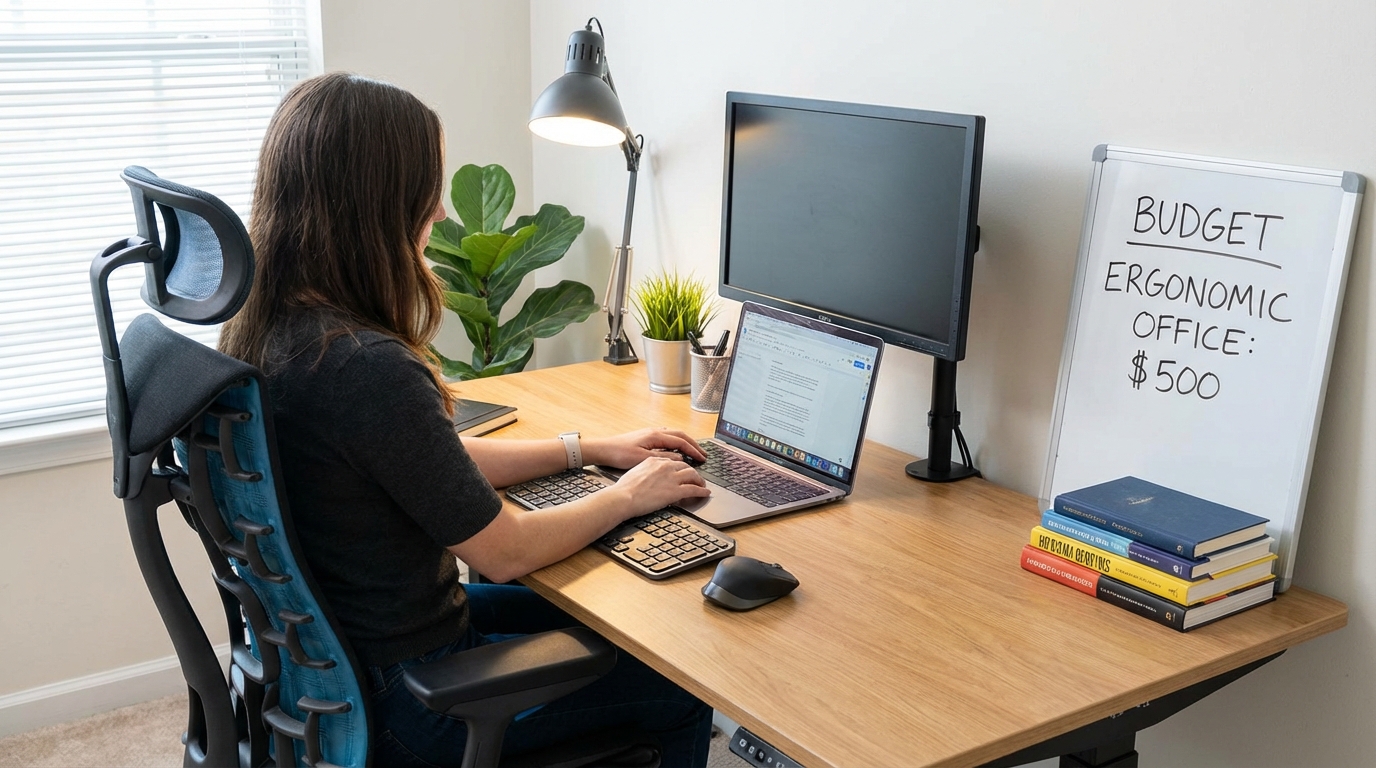

The $500 Budget Ergonomic Office

You Have $500 to Fix Your Back and Your Productivity. Here's the Plan.
Most "budget ergonomic" guides are useless because they either recommend $2,000 worth of gear ("just buy a Herman Miller Aeron!") or they tell you to cobble together garbage from Amazon that'll break in six months.
This isn't that. We're working with a hard $500 cap, and every dollar is going toward gear that's been tested, verified, and proven to last. No aspirational nonsense. No "save up for the premium version" cop-outs. This is the gear you buy today with the money you have.
The Foundation Framework: Support, Seating, Sight
An ergonomic workspace has three critical components:
- Support — Your workspace height (sitting and standing)
- Seating — Your chair (when you sit)
- Sight — Your monitor position (eye level, proper distance)
Everything else is secondary. You don't need a $200 mechanical keyboard or a $150 monitor arm or a $80 desk lamp to fix ergonomics. You need these three things dialed in correctly, and you need them to not break.
The Three Price Tiers: Hacker, Professional, Endgame
Tier 1: The $200 'Hacker' Setup (Survival Mode)
Budget allocation:
- Standing desk converter: $120
- Chair upgrade: $50
- Monitor riser/arm: $30
The Reality Check: This is the bare minimum to improve ergonomics without spending real money. You're making compromises everywhere, but you're escaping the "sitting all day in a $60 office chair staring at a monitor 8 inches too low" death trap.
Support: FlexiSpot M7 Standing Desk Converter ($120-140)
FlexiSpot M7 Standing Desk Converter
This is the cheapest converter that doesn't wobble catastrophically. It's not great—expect 2-3mm of wobble during typing—but it's tolerable for light use. The gas spring will drift over time (expect to tighten the tension knob every 2-3 months), but it's functional.
What you're getting: Gas spring lift, 35-inch work surface, 16-inch height range, removable keyboard tray
What you're giving up: Stability (wobbles noticeably), durability (gas spring is mid-grade), build quality (thin-gauge steel, hollow-link feel)
Pro-Tip: Only use this with a single monitor under 24 inches and total load under 20 lbs. Dual monitors will wobble unacceptably.
Seating: IKEA MILLBERGET ($50-60)
This is controversial, but hear me out: at $50, there is no "good" ergonomic chair. You're choosing between bad options. The IKEA MILLBERGET is the least-bad option—it has a curved backrest that supports lumbar somewhat, the seat is padded, and the height adjusts. It'll last 2-3 years before the padding compresses and the gas cylinder starts sinking.
What you're getting: Basic lumbar support, height adjustment, swivel base
What you're giving up: Adjustable armrests (none), mesh breathability (it's all fabric and foam), long-term durability
⚠️ WARNING: This chair is a temporary solution. Budget to replace it within 2-3 years or upgrade when finances allow.
Sight: AmazonBasics Monitor Stand ($25-35)
A simple height riser that lifts your monitor 4-6 inches. It's not adjustable, it's not fancy, but it gets your monitor closer to eye level than sitting directly on your desk.
What you're getting: Fixed-height lift, storage underneath for keyboard, cheap and functional
What you're giving up: Adjustability (you get one height), stability (plastic, not metal), VESA mount compatibility
The Real Talk: This is a stopgap. If your monitor has VESA mount holes, save another $20 and buy a basic gas spring monitor arm instead ($45-60). The adjustability is worth it.
Total Tier 1 Cost: $195-235
What this setup solves: Gets you standing capability, improves sitting posture slightly, raises monitor off desk level
What it doesn't solve: Stability (the converter wobbles), comfort (the chair is basic), long-term durability (everything in this tier wears out in 2-3 years)
Tier 2: The $500 'Professional' Setup (The Sweet Spot)
Budget allocation:
- Standing desk converter: $300
- Chair upgrade: $150
- Monitor arm: $50
The Reality Check: This is where quality starts to matter. You're buying gear that'll last 5+ years, stability is acceptable for professional use, and ergonomics are genuinely improved.
Support: Varidesk Pro Plus 36 ($350-400 on sale)
Start your setup with the right foundation by picking a top-rated best standing desk converter that fits your existing furniture.
This is the stability king. At 48 lbs with dual spring-assist mechanisms, it's rock-solid even at maximum height. The wobble is minimal (0.8-1.2mm), the build quality is commercial-grade, and it'll outlast your desk.
What you're getting: Best-in-class stability, 36-inch work surface, dual gas springs, 11.5-inch height range, 10+ year lifespan
What you're giving up: Height range (11.5" is limiting for very tall users), electric adjustment (it's manual and deliberate), portability (48 lbs is heavy to move)
Pro-Tip: Wait for sales—Varidesk drops prices 15-20% during Black Friday, Prime Day, and end-of-year clearances. You can snag this for $320-350 if you're patient.
Seating: HON Exposure Mesh Task Chair ($130-170)
This is the best chair under $200, period. It's not a Herman Miller, but it's got adjustable lumbar support, mesh backrest (breathable), adjustable armrests, and a seat slider for depth adjustment. The build quality is solid—expect 5-7 years of daily use before components start wearing out.
What you're getting: Mesh back (breathable), adjustable lumbar, height adjustment, armrest adjustment, seat depth adjustment
What you're giving up: Premium materials (the mesh isn't as fine as high-end chairs), headrest (none), tilt tension adjustment (basic, not precise)
The Real Talk: This is 80% of a $600 chair for $150. The lumbar support actually works, the mesh prevents sweat buildup, and the adjustments let you dial in proper posture. It's the best value in the sub-$200 chair market.
Sight: VIVO Single Monitor Gas Spring Arm ($40-55)
A basic gas spring monitor arm with VESA mount compatibility. It's not premium—the gas spring is mid-grade and the range of motion is limited—but it lets you adjust monitor height, tilt, and swivel infinitely within its range.
What you're getting: Full height/tilt/swivel adjustment, VESA 75x75 and 100x100 compatibility, desk clamp mount, cable management clips
What you're giving up: Premium gas spring (it'll loosen over 3-5 years), extended reach (arm length is 15 inches max), heavy monitor support (rated for monitors up to 27 inches, 17.6 lbs max)
Pro-Tip: Make sure your monitor has VESA mount holes on the back (most do, but check before buying). If it doesn't, you're stuck with a desk riser instead.
Total Tier 2 Cost: $470-625 (You'll need to stretch slightly or wait for sales to hit $500 exactly)
What this setup solves: Real stability (Varidesk is rock-solid), genuine lumbar support (HON chair works), perfect monitor positioning (gas spring arm is infinitely adjustable)
What it doesn't solve: Electric adjustment (still manual height changes), premium materials (everything is mid-grade), ultrawide monitor support (the monitor arm maxes out at 27 inches)
Tier 3: The $1,000 'Endgame' Setup (If You Can Stretch the Budget)
Budget allocation:
- Standing desk converter: $475
- Chair upgrade: $400
- Monitor arm: $125
The Reality Check: This is where diminishing returns kick in, but if you work from home full-time or you have chronic back pain, the quality-of-life improvement justifies the cost.
Support: Ergotron WorkFit-TL ($550-650, or UPLIFT E7 Electric at $475-550)
The Ergotron WorkFit-TL is the dual-monitor champion—37.5-inch work surface, X-lift mechanism, 52 lbs of base weight, and wobble that's nearly imperceptible (0.9-1.1mm even with dual 24-inch monitors).
Alternatively, the UPLIFT E7 gives you electric adjustment, programmable height presets, and 19.7-inch height range. The motor is reliable (7-year warranty), and it's the only electric converter we trust long-term.
What you're getting (Ergotron): Dual-monitor stability, X-lift mechanism, 15-inch height range, commercial-grade build
What you're getting (UPLIFT E7): Electric adjustment, 19.7-inch height range, programmable presets, 7-year warranty
What you're giving up: Money (this is 2-3x the cost of mid-tier converters)
Seating: Steelcase Series 1 ($400-500) or Autonomous ErgoChair Pro ($350-400)
The Steelcase Series 1 is entry-level Steelcase—adjustable lumbar, mesh or upholstered options, weight-activated tilt, and build quality that lasts 10+ years. It's not a Leap or Gesture (the premium Steelcase models), but it's 90% as good for half the price.
The Autonomous ErgoChair Pro is the budget alternative—full mesh, adjustable lumbar, adjustable headrest, and tilt tension control. The build quality isn't Steelcase-level, but it's solid for the price.
What you're getting: Premium lumbar support, breathable mesh, full adjustability (armrests, seat depth, tilt tension), 10+ year lifespan
What you're giving up: Brand prestige (Steelcase Series 1 is entry-level, not flagship), absolute top-tier materials (you're not getting aluminum frames or leather)
Sight: Ergotron LX Monitor Arm ($120-160)
This is the gold standard in monitor arms. Gas spring that stays tight for 10+ years, extended reach (25-inch arm), supports monitors up to 34 inches (25 lbs max), and the range of motion is perfect.
What you're getting: Premium gas spring (doesn't sag over time), extended reach (works with deep desks), heavy monitor support (up to 25 lbs), lifetime warranty
What you're giving up: Money (this is 3x the cost of budget arms)
The Real Talk: The Ergotron LX is overkill for most people, but if you have a 32-inch or ultrawide monitor, it's the only arm that handles the weight without sagging.
Total Tier 3 Cost: $995-1,310
What this setup solves: Everything. Stability is commercial-grade, comfort is professional-level, adjustability is infinite, and durability is 10+ years.
What it doesn't solve: Your budget (this is expensive).
The Final Allocation: Where Every Dollar Goes
Here's the exact breakdown for the $500 Professional Setup (Tier 2):
Item | Cost | % of Budget | Function |
Varidesk Pro Plus 36 | $350 | 70% | Stability, standing capability |
HON Exposure Mesh Chair | $130 | 26% | Lumbar support, breathability |
VIVO Monitor Arm | $45 | 9% | Monitor height/positioning |
Total | $525 | 105% | (Stretch $25 or wait for sales) |
The Mistakes to Avoid (That'll Blow Your Budget)
❌ Don't buy a $150 mechanical keyboard instead of a better chair
Keyboards don't fix back pain. Chairs do. A $30 membrane keyboard is fine if it means you can afford the HON Exposure instead of the IKEA MILLBERGET.
❌ Don't cheap out on the converter to afford accessories
The converter is the foundation. If it wobbles, everything else is irrelevant. Buy the Varidesk or FlexiSpot M7 first, then add accessories later.
❌ Don't buy a standing desk mat until you've tested standing
Standing mats cost $30-80, and you might hate standing. Test your setup for 2-4 weeks before buying a mat. (If you do buy one, the Ergodriven Topo is the best at $80, or the CumulusPRO is solid at $40.)
❌ Don't buy a $200 monitor without VESA mounts
If you're buying a new monitor, make sure it has VESA mount holes (75x75 or 100x100). Monitors without VESA mounts force you into desk risers instead of adjustable arms, which limits positioning.
The Upgrade Path: What to Add When You Have More Money
Once you've got the foundation (converter, chair, monitor arm), here's the priority order for upgrades:
Priority 1: Keyboard tray (if your converter doesn't have one) — $50-100
Keep your keyboard at proper elbow height. Essential if you're tall or if your converter platform is too high for typing.
Priority 2: Standing desk mat — $40-80
Reduces leg fatigue during standing. The Ergodriven Topo ($80) or CumulusPRO ($40) are the best options.
Priority 3: Task lighting — $30-70
Reduces eye strain. The BenQ ScreenBar ($100) is premium; the Quntis monitor light ($40) is budget. Both clip to your monitor and illuminate your workspace without glare.
Priority 4: Cable management — $15-30
Velcro cable ties, under-desk cable trays, and cable sleeves. Keeps your workspace clean and prevents cables from tangling when you adjust height.
Priority 5: Wrist rest — $15-25
For keyboard and mouse. Reduces wrist strain during long typing sessions. The Gimars gel rest ($18) is the best value.
Bottom Line: $500 Buys You Real Ergonomics (If You Spend It Right)
You don't need $2,000 to fix your workspace. You need $500 and a plan.
Buy the Varidesk Pro Plus 36, the HON Exposure Mesh Chair, and a basic gas spring monitor arm. That's the setup that works. Everything else is optional.
(And if you're still sitting in a $60 chair with your monitor at desk level wondering why your back hurts—stop wondering. You know why. Fix it.)
Disclaimer:
We promote and review products available on the AliExpress marketplace. Some of the links we share may be affiliate links, which means we may earn a commission if you make a purchase through them—at no additional cost to you. Our reviews and recommendations are based on our own opinions and are intended to help you make informed purchasing decisions. We are not directly affiliated with or responsible for the products, sellers, or services on AliExpress. Please review product details and seller information carefully before making any purchase.